How to Cancel Uber One – Step-by-Step App and Web Guide
Canceling a subscription service should be straightforward, yet many Uber One members find themselves searching for the exact sequence of taps needed to end their membership. Whether you signed up for the monthly plan to save on delivery fees or activated a promotional trial, the process to discontinue the service follows specific pathways through Uber’s mobile applications and website.
Uber One aggregates benefits across both ride-hailing and food delivery, making its cancellation policies slightly different from standalone streaming or retail subscriptions. The company allows members to terminate their subscriptions at any time, but the timing of that request determines whether you retain benefits through your current billing period or face immediate termination.
This guide examines the precise steps required across iOS, Android, and web platforms, alongside the policy nuances that govern refunds, billing cycles, and resubscription rights.
How to Cancel Uber One (Step-by-Step)
The cancellation process remains consistent across devices, though locating the menu requires navigating through account settings rather than profile management screens.
Fastest for mobile users via Account tab
Accessible through desktop account settings
Takes effect immediately upon confirmation
No termination fees; prorated refunds possible
Key Insights
- Cancellation requires navigating to Account > Uber One > Manage Membership > End Membership
- The process works identically on iPhone, Android, and Samsung devices
- Uber Eats app mirrors the main Uber app steps
- Website cancellation follows similar menu prompts
- Promotional retention offers may appear during cancellation
| Policy Aspect | Detail |
|---|---|
| Cancel Anytime? | Yes, available 24/7 |
| Termination Fees | None |
| Platform Access | App (iOS/Android) and Web |
| Notice Required | 24-48 hours before renewal |
| Refund Eligibility | Automatic if <24hrs to renewal |
| Resubscription Window | Immediate (3-day block post-refund) |
In-App Instructions
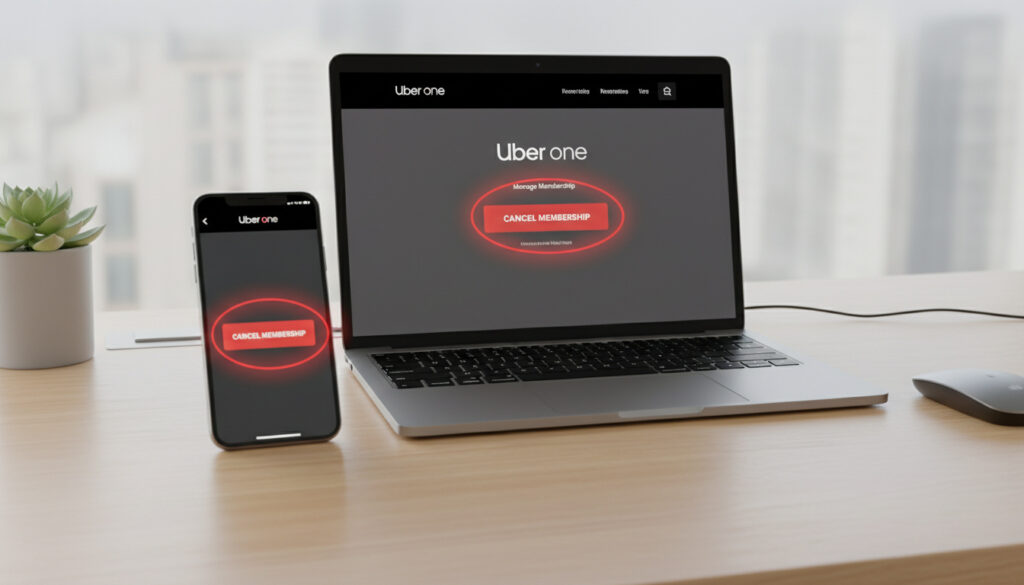
Open the Uber application and tap the Account or profile icon at the bottom navigation bar. Scroll to select Uber One, then locate the Manage Membership option. Tap End Membership (alternatively labeled Leave Uber One on some versions), select a reason if prompted, and confirm by tapping Continue or End Uber One. Official Uber documentation confirms this four-step sequence applies across mobile platforms.
Uber Eats and Website Methods
Members using the Uber Eats app exclusively should tap the profile icon, navigate to Uber One, then Manage Membership, and select End Membership. For web users, cancellation remains available through account settings online, following similar menu prompts to manage membership status. Support pages indicate the web interface mirrors the app’s functionality.
Uber One Cancellation Policy and Timing
Understanding when to initiate cancellation proves as critical as knowing how, given the service’s billing cycle constraints.
The Renewal Window
Members must cancel at least 24 to 48 hours before their billing day to avoid the next cycle’s charge. During the final 24 hours of a billing period, the cancel button may become unavailable. Uber’s restaurant support documentation notes that if cancellation occurs late within this window, charges may appear but are automatically refunded.
Trial vs. Paid Memberships
Free trial or paused memberships behave differently from active subscriptions. Benefits end immediately upon cancellation for trial users, while paid members retain access until the current billing period concludes. Uber Eats membership terms specify that Uber Cash or credits earned become revocable upon termination.
What Happens After Canceling Uber One
Termination triggers distinct consequences depending on membership type and timing, affecting everything from benefit continuity to refund eligibility.
Benefit Continuation and Refunds
Paid subscribers maintain full Uber One benefits—including discounted rides and waived delivery fees—until the current billing period ends, rather than losing access immediately. The subscription is non-refundable once the billing cycle starts, except where prohibited by law. However, late cancellations within 24 hours of renewal trigger automatic refunds. Members requesting refunds via support forms face a three-day block on repurchasing the membership.
Resubscription Rights
Former members may resubscribe anytime by returning to the Uber One section within the app. The interface typically prompts users to rejoin immediately post-cancellation. Tutorial demonstrations confirm no waiting periods apply beyond the post-refund restriction.
Troubleshooting Uber One Cancellation Issues
Technical barriers and interface confusion occasionally prevent members from completing the cancellation process despite following correct steps.
If your billing renewal falls within the next 24 hours, the cancellation button may disappear from the interface. Contact support immediately if the option is unavailable and your renewal date is approaching.
Missing Menu Options
Users unable to locate the End Membership button should scroll fully through the Uber One management page, as the option sometimes sits below the visible screen area. If using the Uber Eats app specifically, verify you are checking the Account tab rather than order history screens.
Steps remain identical across iPhone, Android, and Samsung devices. Differences between the main Uber app and Uber Eats app are minimal, though the Account tab location varies slightly.
Unauthorized Charges
Members noticing charges after cancellation should first verify the request occurred more than 24 hours before the billing date. Automatic refunds process for cancellation requests submitted within 24 hours of renewal. For charges outside these parameters, the in-app support form or general terms documentation provides escalation paths.
Members who activated Uber One through promotional trials from third parties retain benefits until the promotional offer ends, distinct from standard cancellation timelines.
When Does Uber One Actually Terminate?
- Request Submitted: Cancellation confirmation appears immediately in-app. Video tutorials demonstrate real-time confirmation.
- Benefits Active: Paid members retain perks until the current billing cycle concludes.
- Trial Termination: Free trial benefits cease immediately upon cancellation.
- Final Access: No prorated refunds for mid-cycle cancellations; access continues through the prepaid period.
What We Know Versus What Remains Unclear
| Established Facts | Uncertain Elements |
|---|---|
| No cancellation fees exist | Exact processing time for refunds to original payment methods |
| Benefits continue until billing period ends (paid) | Specific regional variations in enforcement |
| 24-48 hour notice required to avoid next charge | Algorithmic determination of promotional retention offers |
| Auto-refund policy for late cancellations <24hrs | Long-term account standing impacts from frequent cancellation/resubscription |
Why Members End Their Subscription
Uber One’s $9.99 monthly fee delivers value primarily to frequent users of both ride-sharing and food delivery. Members who reduce travel frequency or discover alternative local services—including specific restaurants with independent delivery options like Baskin-Robbins Near Me – Locations, Hours, Menu & Delivery—often reassess the subscription’s cost-benefit ratio.
The subscription market has matured, with consumers increasingly vigilant about recurring charges. Uber One competes not just with other delivery memberships but with direct ordering from restaurants and regional transportation alternatives. Cancellation typically reflects changing lifestyle patterns rather than service dissatisfaction.
Official Policy Sources
Uber’s official documentation provides the authoritative framework for membership management.
“You can cancel your Uber One membership at any time. If you cancel during a free trial or during a paused membership, you’ll lose your Uber One benefits immediately. If you cancel outside of a free trial or paused membership, you’ll keep your Uber One benefits until the end of the current billing period.”
“If you cancel within 24 hours of your billing date or your billing date falls on a holiday, you may be charged for the next billing cycle and then automatically refunded.”
Key Takeaways
Canceling Uber One requires navigating to Account settings, selecting Uber One, then Manage Membership, and confirming End Membership—ideally 48 hours before renewal to avoid subsequent charges. While benefits persist for paid members until the billing cycle closes, free trial users lose access immediately. The process carries no penalties, though strategic timing optimizes value retention. Whether managing transportation subscriptions or planning Vancouver to Calgary Flights – Cheapest Deals and Direct Schedules, understanding cancellation windows prevents unwanted charges.
Common Questions
Is there a phone number to cancel Uber One?
No dedicated cancellation hotline exists. Members must use the app, website, or general support forms to process termination requests.
Can I cancel Uber One from the Uber Eats app only?
Yes, the Uber Eats app provides full cancellation functionality through the Account > Uber One > Manage Membership pathway.
Will canceling Uber One affect my Uber rider account?
Cancellation removes only the subscription benefits; your standard Uber account remains active for regular ride and food orders.
Do promo codes still work after I cancel?
Standard promotional codes remain valid, but Uber One-specific discounts and member-exclusive offers expire when the subscription ends.
Can I pause instead of cancel?
Uber offers pause functionality for some membership types, but paused memberships trigger immediate benefit loss upon cancellation, unlike active subscriptions.
What if I signed up through a third-party promotion?
Third-party promotional trials retain benefits until the offer’s scheduled end date, regardless of when you initiate cancellation.
More related posts
 Household Water Purification Systems – Complete Buyer’s Guide
 Words That Start With C: Common, Positive, Long & Easy
 Steve Irwin Death: Official Cause and Stingray Attack Facts
 Batman vs. Superman: Box Office, Fight Winner & Controversy
 Jake Weary: Age, Movies, TV Shows & Personal Life Guide
 Jake Paul vs Tank: Fight Cancelled Over Davis Allegations
 Karan Johar: Sexuality, BDD, Career, and Controversies
 Destined Rivals Booster Box: Market Price & Value
